Email Attachment Intake Automation
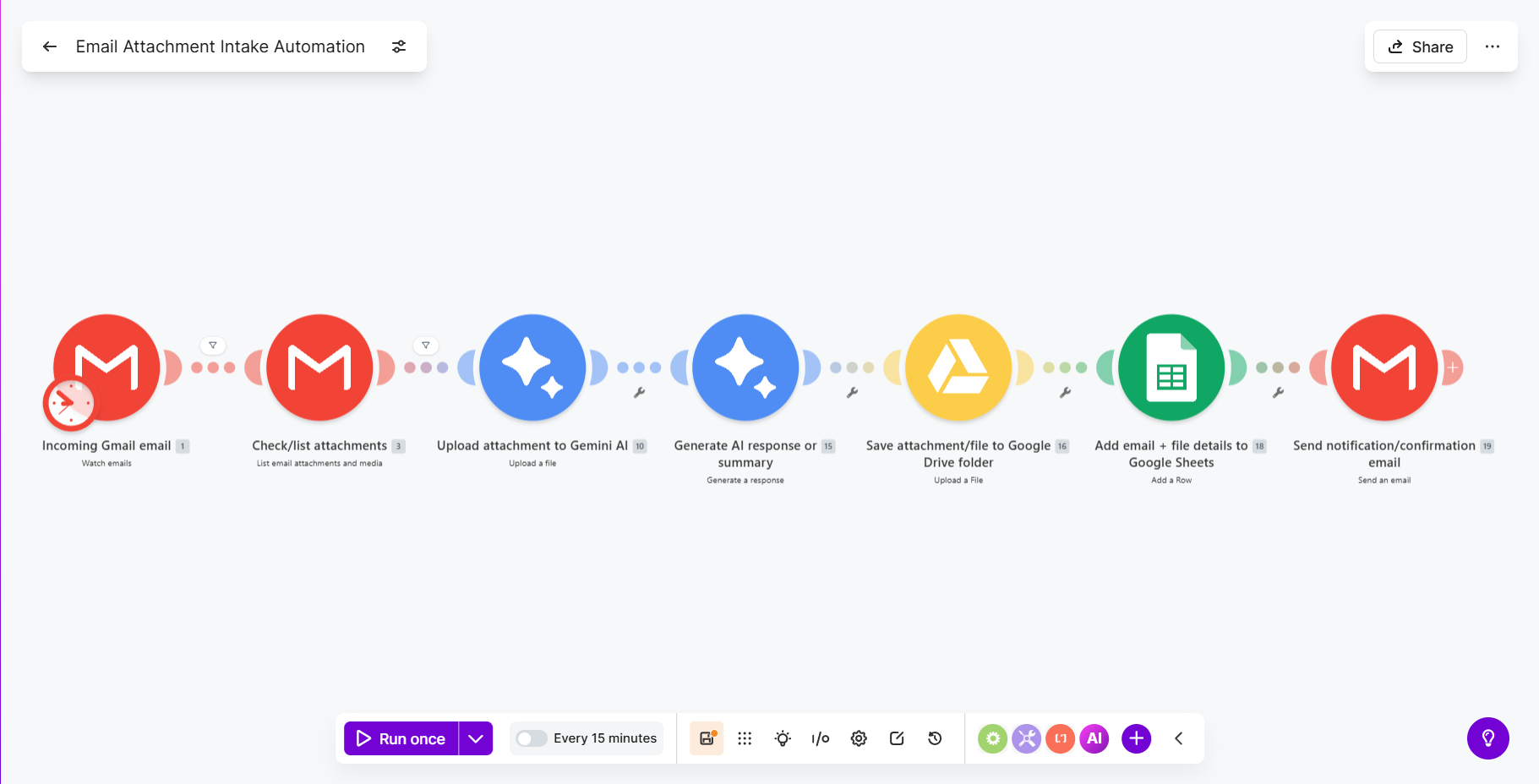
Automatically processes incoming email attachments — uploads them to Gemini AI for analysis, saves to Google Drive, logs to Sheets, and sends confirmations.
The Problem
Receiving attachments via email and manually saving, organizing, and tracking each file was tedious. Files sat in inboxes, got lost, and there was no centralized log of what came in or what was inside them.
The Solution
Built a Make.com scenario that watches a Gmail inbox for new messages with attachments. It lists all attachments, uploads each one to Google's Gemini AI for intelligent analysis, saves the original file to a structured Google Drive folder, logs the email details + AI analysis to a Google Sheet, and sends a confirmation email back — all in one automated flow.
Key Outcomes
- Attachments automatically organized and analyzed on arrival
- AI-powered content extraction via Gemini
- Centralized log of all incoming files in Google Sheets
- Confirmation emails sent automatically
Want something similar for your business?
Book a Free Strategy Call